Temp Mail on your own domain
Temporary email services are a pain. Most are unreliable, filled with ads, and blocked by the very sites you’re trying to sign up for.
There’s a better way, if you already have a domain on Cloudflare.
How it works
Cloudflare offers a free feature called Email Routing that lets you forward incoming emails from your domain to any destination address.
The key is the catch-all rule. Instead of defining individual aliases, you configure a single rule that catches any address on your domain and forwards it to you:
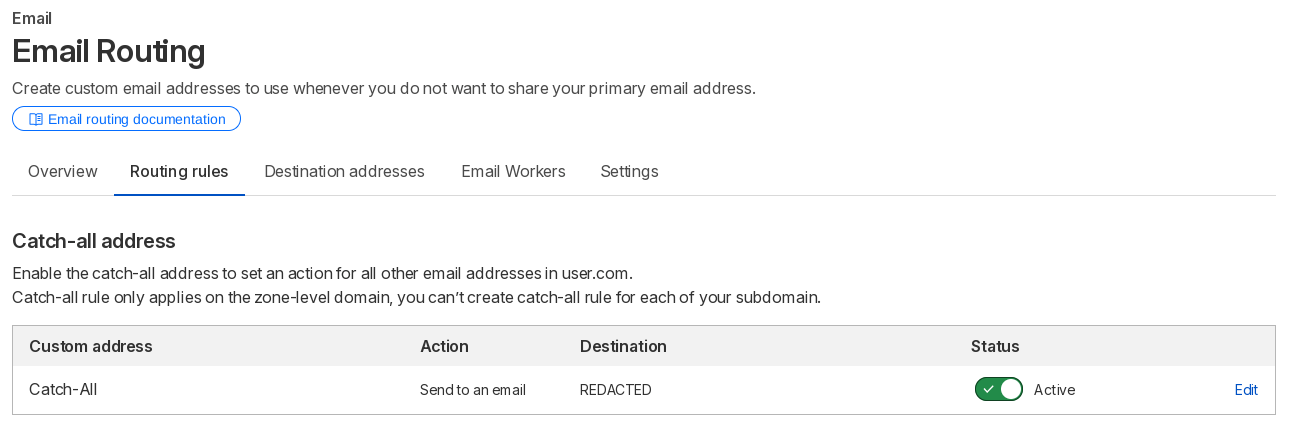
With this in place, every possible address on your domain becomes valid:
All of them will be rerouted to your real inbox. You invent the alias on the spot. And the real advantage over other services: your domain is certainly not on any blocklist. Websites that refuse throwaway addresses are checking against known temp-mail domains. Your personal domain is completely unknown to those lists, making it the easiest option if you own a domain.
Deactivating an Temp Mail
If you ever want to deactivate a temp mail you’ve created, simply create a new rule in the dashboard and select Drop instead of Send to an email. This will render that specific mail address inactive.